
Music lovers increasingly seek alternatives to iTunes that prioritize simplicity over complexity. The ideal music player offers clean interfaces, minimal distractions, and straightforward controls. Modern listeners want to enjoy their libraries without navigating cluttered menus or aggressive promotional content.
This guide explores the best apps delivering distraction-free music experiences across different platforms. Whether you own your music files or stream content, these alternatives provide focused listening environments without overwhelming features.
Why People Seek iTunes Alternatives
iTunes evolved from a simple music player into a complex ecosystem managing multiple media types. The app became bloated with features many users never needed. Additionally, Apple’s shift toward streaming with Apple Music changed iTunes’ core functionality.
Many music enthusiasts prefer owning their audio files rather than streaming. However, iTunes often pushes users toward subscription services instead of supporting local library management. Therefore, dedicated music players focusing solely on personal collections appeal to these listeners.
Performance issues plague iTunes on some systems, particularly Windows computers. The application consumes significant system resources even during basic playback. Consequently, lightweight alternatives deliver better performance on older or less powerful devices.
Privacy-conscious users appreciate apps without constant online connections or data collection. iTunes connects to Apple servers regularly, raising privacy concerns for some listeners. Moreover, simpler alternatives often respect user privacy more than feature-heavy commercial platforms.
Essential Features for Distraction-Free Music Apps
Clean user interfaces prioritize playback controls over marketing messages. The best alternatives display album art, track information, and simple controls without cluttered sidebars. Additionally, customization options allow users to hide unnecessary features.
Local library management remains crucial for users who own music files. Effective apps organize collections by artist, album, genre, and custom playlists without cloud requirements. Therefore, robust tagging and metadata editing capabilities enhance library organization.
Minimal system resource usage ensures smooth performance during playback and multitasking. Lightweight apps consume less RAM and CPU than bloated alternatives. Moreover, efficient apps extend battery life on laptops and mobile devices.
Format support determines which audio files the app can play. Comprehensive alternatives handle MP3, FLAC, AAC, WAV, and other common formats. However, avoid apps requiring format conversion for everyday listening.
MusicBee: Comprehensive Windows Alternative
MusicBee delivers iTunes-level functionality with superior customization on Windows. This free application manages extensive music libraries efficiently while maintaining responsive performance. The interface appears complex initially but becomes intuitive through use.
Advanced tagging capabilities let users organize collections precisely. MusicBee automatically retrieves metadata from online databases, correcting incomplete information. Additionally, batch editing tools update multiple files simultaneously, saving considerable time.
Customizable layouts adapt to individual preferences and workflows. Users can show or hide panels, adjust color schemes, and create custom views. Therefore, each person crafts their ideal listening environment without unnecessary distractions.
Built-in format conversion handles various audio file types without external tools. The app also syncs libraries to portable devices, replacing iTunes for iPod and iPhone users. Moreover, podcast support and internet radio expand listening options beyond local files.
MusicBee offers one of the most feature-rich free music player experiences available while remaining accessible to average users.
Doppler: Minimalist iOS Music Player
Doppler focuses exclusively on playing music files stored on iOS devices. This paid app rejects streaming services entirely, serving users who own their music. The clean interface emphasizes album art and playback controls without distracting elements.
Gesture-based navigation makes common actions intuitive and quick. Swipe gestures control playback, volume, and playlist management. Additionally, the full-screen now playing view creates immersive listening experiences.
File management happens through iTunes file sharing or cloud storage imports. Users transfer music from computers or download files from services like Dropbox. However, the app deliberately avoids automatic cloud syncing to maintain simplicity.
Advanced features hide behind simple interfaces, appearing only when needed. Equalizer settings, playback speed controls, and sleep timers remain accessible without cluttering main screens. Therefore, casual and serious listeners both find appropriate functionality levels.
Foobar2000: Audiophile-Grade Customization
Foobar2000 serves Windows users seeking ultimate control over their listening experience. This lightweight player handles virtually every audio format while consuming minimal resources. The default interface appears bare-bones, but extensive customization creates personalized environments.
Component architecture allows users to add only desired features. Hundreds of community-created plugins extend functionality from visualization to advanced DSP processing. Additionally, this modular approach prevents bloat affecting users who want simple playback.
Gapless playback and bit-perfect output satisfy audiophiles demanding quality reproduction. The app supports high-resolution audio files without resampling or quality loss. Moreover, advanced replay gain implementation normalizes volume across different recordings.
Keyboard shortcuts enable complete control without touching the mouse. Power users create custom hotkeys for every function imaginable. However, the learning curve steepens for users unfamiliar with customization interfaces.
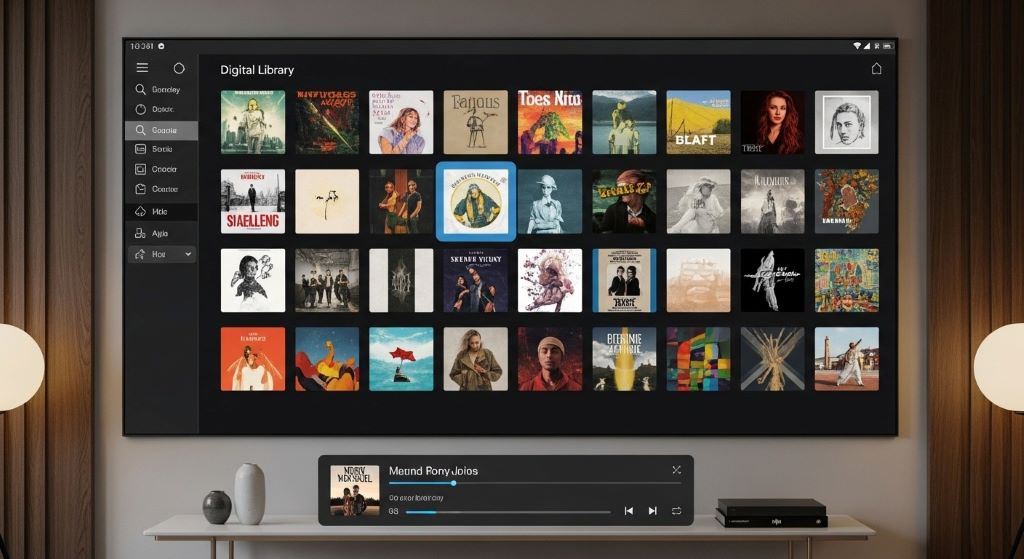
VOX Music Player: macOS Simplicity
VOX provides clean, distraction-free listening for Mac users tired of Apple Music integration. This free player handles local files with minimal interface chrome. The small player window stays out of the way during work while maintaining accessible controls.
Hi-res audio support distinguishes VOX from basic music players. The app handles FLAC, DSD, and other audiophile formats without conversion. Additionally, exclusive audio drivers on macOS deliver bit-perfect playback for discerning listeners.
Cloud storage integration allows streaming personal collections from services like Dropbox. Users can listen to entire libraries without storing files locally. However, this optional feature doesn’t interfere with offline playback preferences.
The unlimited cloud storage subscription offers optional library backup. This premium feature appeals to users wanting redundancy without managing multiple services. Therefore, VOX serves both minimalist and feature-seeking audiences through optional upgrades.
Swinsian: Power User macOS Option
Swinsian targets Mac users needing robust library management without iTunes complexity. This paid application offers extensive organizational tools in streamlined interfaces. Advanced users appreciate detailed control while casual listeners enjoy simplified views.
Smart playlists create dynamic collections based on complex criteria. Users combine multiple rules for precise automated organization. Additionally, playlist folders group related collections hierarchically like file systems.
Powerful search functions locate specific tracks instantly in massive libraries. Boolean operators and field-specific searches rival dedicated database applications. Moreover, saved searches become smart playlists updating automatically.
Statistics tracking reveals listening habits and play counts across time periods. Users can view most-played tracks, recently added albums, and historical data. However, these analytical features remain optional for users preferring simple playback.
AIMP: Lightweight Cross-Platform Solution
AIMP delivers impressive functionality in a remarkably small package for Windows users. This free player combines powerful features with minimal resource consumption. The customizable interface adapts from simple to complex based on user preferences.
Eighteen-band equalizer with presets satisfies users wanting sound customization. Built-in sound effects include reverb, flanger, and other processors. Additionally, advanced users can create custom DSP chains for precise audio shaping.
Internet radio support provides thousands of stations without leaving the application. Users can record streams, creating personal archives of favorite programs. Therefore, AIMP serves both local library and streaming radio audiences effectively.
Tag editor functionality corrects metadata issues directly within the player. Batch operations update entire albums simultaneously with consistent information. Moreover, online database lookups automatically retrieve missing tags and album artwork.
Clementine: Open-Source Multi-Platform Player
Clementine offers familiar iTunes-style interfaces for Windows, Mac, and Linux users. This free, open-source player focuses on local library management and internet radio. The community-driven development ensures privacy and transparency.
Cross-platform compatibility allows consistent experiences across different operating systems. Users switching between computers maintain familiar workflows regardless of platform. Additionally, library organization transfers easily between supported systems.
Cloud storage integration supports streaming from Google Drive, Dropbox, and OneDrive. Users access entire collections remotely without maintaining local copies. However, offline playback from local files remains the primary focus.
Visualizations and plugins extend functionality without compromising core simplicity. Users can add features matching their needs while ignoring unnecessary additions. Therefore, Clementine scales from basic playback to advanced functionality smoothly.
According to The Verge, many users sought iTunes alternatives after Apple discontinued the standalone application in favor of separate apps for different media types.
Choosing the Right App for Your Needs
Consider your operating system when selecting music player alternatives. Platform-specific options often provide better integration and performance than cross-platform solutions. However, multi-platform apps suit users working across different systems.
Evaluate whether you need advanced features or prefer absolute simplicity. Power users benefit from extensive customization and library management tools. Conversely, minimalists should choose apps hiding complexity behind clean interfaces.
Determine if you own music files or primarily stream content. Local library players excel at managing personal collections efficiently. Meanwhile, hybrid apps supporting both local and cloud playback offer flexibility.
Test free alternatives before purchasing paid applications. Many excellent players offer full functionality without cost. Therefore, exploring options costs nothing beyond time invested learning new interfaces.
Optimizing Your Listening Experience
Organize music libraries consistently before importing into new players. Correct metadata, standardize naming conventions, and add album artwork beforehand. This preparation ensures smooth transitions between applications.
Explore keyboard shortcuts to minimize interface interaction during listening. Most players support extensive hotkey customization for common actions. Additionally, global shortcuts control playback without switching windows.
Create focused playlists for different activities and moods. Well-organized collections enhance distraction-free listening by eliminating browsing time. Moreover, smart playlists automatically update based on defined criteria.
Adjust equalizer settings to match your audio equipment and preferences. Proper sound customization improves enjoyment more than default settings. However, avoid excessive processing that colors recordings unnaturally.
Conclusion
Numerous alternatives to iTunes provide clean, distraction-free music listening across all platforms. MusicBee and Foobar2000 serve Windows users seeking customization, while VOX and Swinsian deliver macOS simplicity. Cross-platform options like Clementine support multi-system workflows effectively. The best choice depends on your operating system, feature requirements, and preference for simplicity versus control. Therefore, experimenting with several alternatives helps identify the perfect player for your listening habits. Moving beyond iTunes opens possibilities for more focused, enjoyable music experiences tailored precisely to individual needs.
Frequently Asked Questions
What is the best free alternative to iTunes for Windows?
MusicBee and Foobar2000 both offer excellent free alternatives for Windows users. MusicBee provides more intuitive interfaces with extensive features, while Foobar2000 delivers superior customization for technical users. Both handle large libraries efficiently without iTunes bloat.
Can I transfer my iTunes library to alternative music players?
Yes, most alternatives import iTunes libraries directly, preserving playlists and play counts. The apps read iTunes XML library files or scan your music folder. However, DRM-protected Apple Music files won’t play outside Apple’s ecosystem.
Do these apps work with iPhones and iPods?
Some alternatives like MusicBee sync music to iOS devices, but most focus on computer playback. For iPhone listening without iTunes, consider apps like Doppler that play locally stored files. Additionally, cloud-based solutions stream personal collections to mobile devices.
Are these iTunes alternatives safe and virus-free?
Reputable alternatives from established developers are safe when downloaded from official sources. MusicBee, Foobar2000, and other recommended apps have strong security records. However, always download from developer websites or trusted repositories rather than third-party sites.
Which music player uses the least system resources?
Foobar2000 and AIMP consume minimal CPU and RAM while delivering full functionality. These lightweight players run smoothly on older computers where iTunes struggles. Therefore, they’re ideal for systems with limited resources or users wanting maximum performance.
Related Topics:
How to Identify a High-Quality Diamond: A Collector’s Guide
Homepage vs Landing Page, What’s the Difference?