
Imagine this: You’ve spent months designing a stunning website, crafting compelling content, and optimizing for SEO. But when visitors arrive, they’re greeted with slow load times, error messages, or worse—downtime. The culprit? Poor website hosting performance. A study by Google found that 53% of mobile users abandon a site if it takes longer than three seconds to load. Yet, most website owners focus on design and content while neglecting the foundation that makes it all possible: hosting.
I’ve spent over a decade building, optimizing, and rescuing websites from the brink of collapse. The difference between sites that thrive and those that fail often comes down to one thing: the quality of their hosting. This guide isn’t about choosing the cheapest plan or the most popular provider. It’s about understanding how hosting impacts your website’s stability, speed, and security—and how to choose stable hosting solutions that grow with your needs.
You’ll learn how to evaluate hosting providers, avoid common pitfalls, and optimize your setup for maximum uptime and performance. By the end, you’ll have a blueprint to transform your website from a liability into a high-performing asset.
The Hidden Costs of Poor Website Hosting Performance
The Speed Penalty: How Slow Hosting Kills Your Traffic
Website speed is directly tied to hosting quality. A slow server means slow page loads, which leads to higher bounce rates and lower conversions. According to Amazon, a 100-millisecond delay in load time can cost them 1% in sales. For smaller businesses, the impact is even more pronounced.
The logic is simple: If your hosting server is overloaded, underpowered, or poorly configured, your website will suffer—no matter how well you’ve optimized your code or images.
The Downtime Disaster: Why Every Minute Offline Costs You Money
Downtime isn’t just an inconvenience—it’s expensive. Gartner estimates that the average cost of IT downtime is $5,600 per minute. For e-commerce sites, the losses can be even higher. A study by ITIC found that 98% of organizations say a single hour of downtime costs over $100,000.
Example: A small online store losing $1,000 per hour of downtime could see $8,000 in losses from an 8-hour outage. Stable hosting solutions minimize this risk.
The Security Risk: How Poor Hosting Makes You Vulnerable
Cheap or poorly managed hosting is a magnet for hackers. A Verizon report found that 43% of data breaches target small businesses, often through vulnerable hosting setups. Shared hosting, in particular, is risky because a security flaw in one site can compromise others on the same server.
The Scalability Trap: Why Your Hosting Must Grow With You
Many website owners choose hosting based on their current needs, only to find themselves stuck when traffic spikes. A Hosting Tribunal survey revealed that 60% of website owners switch hosts due to poor scalability. Without room to grow, your site will crash during traffic surges, costing you visitors and revenue.
How to Improve Website Stability With Better Hosting: A Step-by-Step Guide
Step 1: Understand Your Website’s Needs
Before choosing a host, assess your requirements:
- Traffic volume: How many visitors do you expect?
- Type of content: Static pages, dynamic content, or e-commerce?
- Technical requirements: Do you need PHP, MySQL, or specific software?
- Budget: What can you afford without sacrificing quality?
Example: A blog with 10,000 monthly visitors has different needs than an e-commerce site with 100,000 visitors.
Step 2: Choose the Right Type of Hosting
Not all hosting is created equal. Here’s a breakdown of the most common types:
Shared Hosting:
- Pros: Cheap, easy to set up.
- Cons: Limited resources, poor performance under traffic spikes, security risks.
- Best for: Small blogs, personal sites, or low-traffic projects.
VPS (Virtual Private Server) Hosting:
- Pros: More control, better performance, scalable.
- Cons: Requires technical knowledge, more expensive than shared hosting.
- Best for: Growing websites, medium-traffic sites, or developers needing custom configurations.
Dedicated Hosting:
- Pros: Full control, maximum performance, high security.
- Cons: Expensive, requires advanced technical skills.
- Best for: High-traffic websites, e-commerce stores, or mission-critical applications.
Cloud Hosting:
- Pros: Scalable, reliable, pay-as-you-go pricing.
- Cons: Can get expensive, requires some technical setup.
- Best for: Websites with unpredictable traffic, startups, or businesses needing flexibility.
Managed Hosting:
- Pros: Expert support, optimized performance, automatic updates.
- Cons: More expensive, less control over server configurations.
- Best for: Businesses that prioritize stability and support over customization.
Pro tip: Start with a VPS or cloud hosting if you expect growth. Shared hosting is only viable for very small or temporary sites.
Step 3: Evaluate Hosting Providers Based on Key Metrics
Not all hosting providers are equal. Compare them based on:
- Uptime guarantees: Look for 99.9% or higher. Downtime costs you traffic and revenue.
- Server speed: Test response times with tools like Pingdom or GTmetrix.
- Customer support: 24/7 support via chat, phone, or ticketing.
- Scalability options: Can you upgrade easily as your traffic grows?
- Security features: Firewalls, DDoS protection, SSL certificates, and regular backups.
- Pricing and contracts: Avoid long-term contracts with no refund policy.
Example: SiteGround and A2 Hosting are known for their speed and reliability, while Bluehost is popular for beginners due to its ease of use.
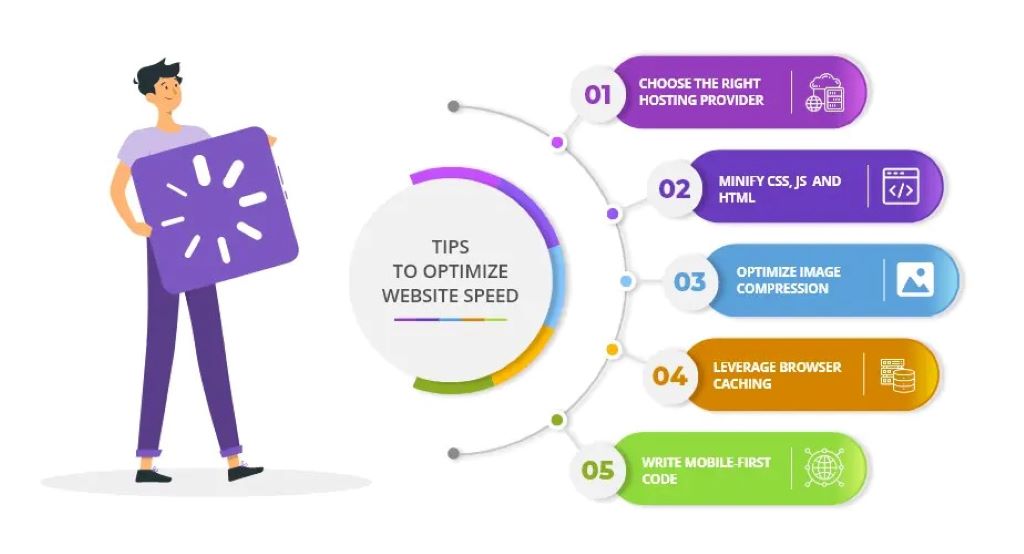
Step 4: Optimize Your Hosting Setup for Performance
Even the best hosting won’t help if your setup is poorly configured. Follow these best practices:
- Enable caching: Use tools like Redis or Memcached to speed up load times.
- Optimize your database: Regularly clean and index your database tables.
- Use a CDN: Services like Cloudflare or Fastly distribute content globally, reducing latency.
- Minify CSS and JavaScript: Reduce file sizes to improve load times.
- Compress images: Use tools like TinyPNG or ShortPixel to shrink image sizes without losing quality.
Pro tip: Use a plugin like WP Rocket (for WordPress) to enable caching, minification, and lazy loading with one click.
Step 5: Monitor Your Website’s Performance
Regular monitoring helps you catch issues before they become critical. Use tools like:
- UptimeRobot: Tracks uptime and alerts you to downtime.
- New Relic: Monitors server performance and identifies bottlenecks.
- Google Analytics: Tracks user behavior and highlights slow pages.
Example: A spike in load times might indicate a need to upgrade your hosting plan or optimize your database.
Step 6: Implement Strong Security Measures
A secure hosting setup protects your site and your visitors. Essential security practices include:
- Regular updates: Keep your CMS, plugins, and themes up to date.
- Strong passwords: Use a password manager to generate and store complex passwords.
- Two-factor authentication (2FA): Adds an extra layer of security for logins.
- Firewalls: Use a web application firewall (WAF) like Sucuri or Wordfence.
- Backups: Automate daily or weekly backups and store them off-site.
Pro tip: Schedule automatic backups with tools like UpdraftPlus (for WordPress) or your hosting provider’s backup service.
Step 7: Plan for Traffic Spikes
Unexpected traffic surges can crash your site if you’re not prepared. To handle spikes:
- Use cloud hosting: Automatically scales resources during traffic surges.
- Enable caching: Reduces server load by serving static content.
- Optimize your code: Efficient PHP, JavaScript, and database queries reduce resource usage.
- Use a load balancer: Distributes traffic across multiple servers.
Example: An e-commerce site running a Black Friday sale should use cloud hosting to handle the traffic surge.
Stable Hosting Solutions: How to Choose the Best Provider for Your Needs
Tip 1: Avoid “Unlimited” Hosting Plans
Many providers advertise “unlimited” bandwidth or storage, but these claims are often misleading. Read the fine print for:
- Fair usage policies: Limits on CPU, RAM, or inodes (file counts).
- Throttling: Slowing down your site after a certain usage level.
- Hidden fees: Charges for backups, SSL, or support.
Pro tip: Look for providers that offer transparent resource limits, like Cloudways or Kinsta.
Tip 2: Prioritize Speed and Uptime Over Price
Cheap hosting often leads to slow load times and frequent downtime. Invest in a provider known for performance, like:
- SiteGround: Fast SSD storage and free CDN.
- A2 Hosting: Turbo servers for up to 20x faster load times.
- WP Engine: Optimized for WordPress with enterprise-grade speed.
Example: A study by Backlinko found that SiteGround’s average load time was 673ms, compared to the industry average of 800ms+.
Tip 3: Choose a Provider With Strong Customer Support
When your site goes down, you need help fast. Test a provider’s support before committing by:
- Reading reviews: Look for complaints about slow response times.
- Asking pre-sales questions: Gauge their responsiveness and expertise.
- Checking support channels: 24/7 live chat is ideal.
Pro tip: Avoid providers that only offer ticket-based support with slow response times.
Tip 4: Look for Providers With Built-In Caching
Caching dramatically improves load times. Some hosts offer built-in caching solutions:
- SiteGround: SuperCacher technology.
- WP Engine: EverCache system.
- Kinsta: Server-level caching with Redis.
Tip 5: Consider Managed Hosting for Ease of Use
Managed hosting providers handle technical details like updates, security, and backups. They’re ideal if you lack technical expertise or want to focus on your business. Top managed hosts include:
- WP Engine: Best for WordPress sites.
- Kinsta: High-performance hosting with expert support.
- Flywheel: User-friendly with great design tools.
Tip 6: Test Before You Commit
Most providers offer money-back guarantees or free trials. Use this time to:
- Test load times with GTmetrix or Pingdom.
- Check uptime with UptimeRobot.
- Evaluate support responsiveness.
Example: A2 Hosting offers a anytime money-back guarantee, so you can test their service risk-free.
Tip 7: Plan for Migration
Switching hosts can be complex. Choose a provider that offers:
- Free migration: Many hosts will move your site for free.
- Easy migration tools: Plugins like Duplicator (for WordPress) simplify the process.
- Minimal downtime: Ask about their migration process and expected downtime.
Common Mistakes That Ruin Website Stability
1. Choosing Hosting Based on Price Alone
Cheap hosting often leads to slow performance, downtime, and poor support. Invest in quality hosting that meets your needs.
2. Ignoring Server Location
The physical location of your server affects load times. Choose a host with data centers close to your audience.
Example: If your audience is in Europe, choose a European data center to reduce latency.
3. Overloading Your Server With Plugins
Too many plugins slow down your site and increase security risks. Only use essential plugins and keep them updated.
4. Neglecting Regular Backups
Without backups, a hack or server failure could wipe out your site. Automate backups and store them off-site.
5. Skipping Security Updates
Outdated software is a leading cause of hacks. Enable automatic updates for your CMS, plugins, and themes.
6. Not Monitoring Performance
Regular monitoring helps you catch issues before they affect users. Use tools like New Relic or Google Analytics to track performance.
7. Failing to Plan for Growth
A hosting plan that works today may not suffice tomorrow. Choose a scalable provider and monitor traffic trends to upgrade as needed.
Related Topics:
FAQs: Your Top Questions About Improving Website Stability With Hosting
1. How do I know if my hosting is causing slow load times?
Use tools like GTmetrix or Pingdom to test your site’s speed. If the “Time to First Byte” (TTFB) is slow (over 500ms), your hosting may be the issue.
2. What’s the best hosting for a high-traffic website?
Cloud hosting (e.g., AWS, Google Cloud) or managed hosting (e.g., Kinsta, WP Engine) are ideal for high-traffic sites due to their scalability and performance.
3. How can I improve my website’s stability without switching hosts?
- Optimize your database and code.
- Enable caching and use a CDN.
- Upgrade your current hosting plan for more resources.
4. What’s the difference between shared and VPS hosting?
Shared hosting shares server resources with other sites, leading to slower performance. VPS hosting allocates dedicated resources to your site, offering better speed and stability.
5. How do I choose between cloud and dedicated hosting?
Cloud hosting is scalable and cost-effective for variable traffic. Dedicated hosting offers maximum control and performance for consistent, high-traffic sites.
6. What security features should I look for in a hosting provider?
- Firewalls and DDoS protection.
- Regular backups and easy restore options.
- SSL certificates for encrypted connections.
- Malware scanning and removal tools.
7. How often should I monitor my website’s performance?
Check your site’s speed and uptime at least weekly. Use tools like UptimeRobot for continuous monitoring and alerts.
Conclusion: Build a Website That Stands the Test of Time
Improving your website stability isn’t about quick fixes or chasing the latest hosting trends. It’s about choosing the right foundation, optimizing for performance, and planning for growth. By focusing on website hosting performance, implementing stable hosting solutions, and following best practices, you’ll create a site that loads fast, stays online, and scales with your needs.
Remember: Your hosting is the backbone of your website. Investing in quality hosting now will save you time, money, and headaches in the long run.
Your next step? Audit your current hosting setup. Check your site’s load times, uptime, and scalability options. If your provider isn’t meeting your needs, start researching alternatives using the tips in this guide.